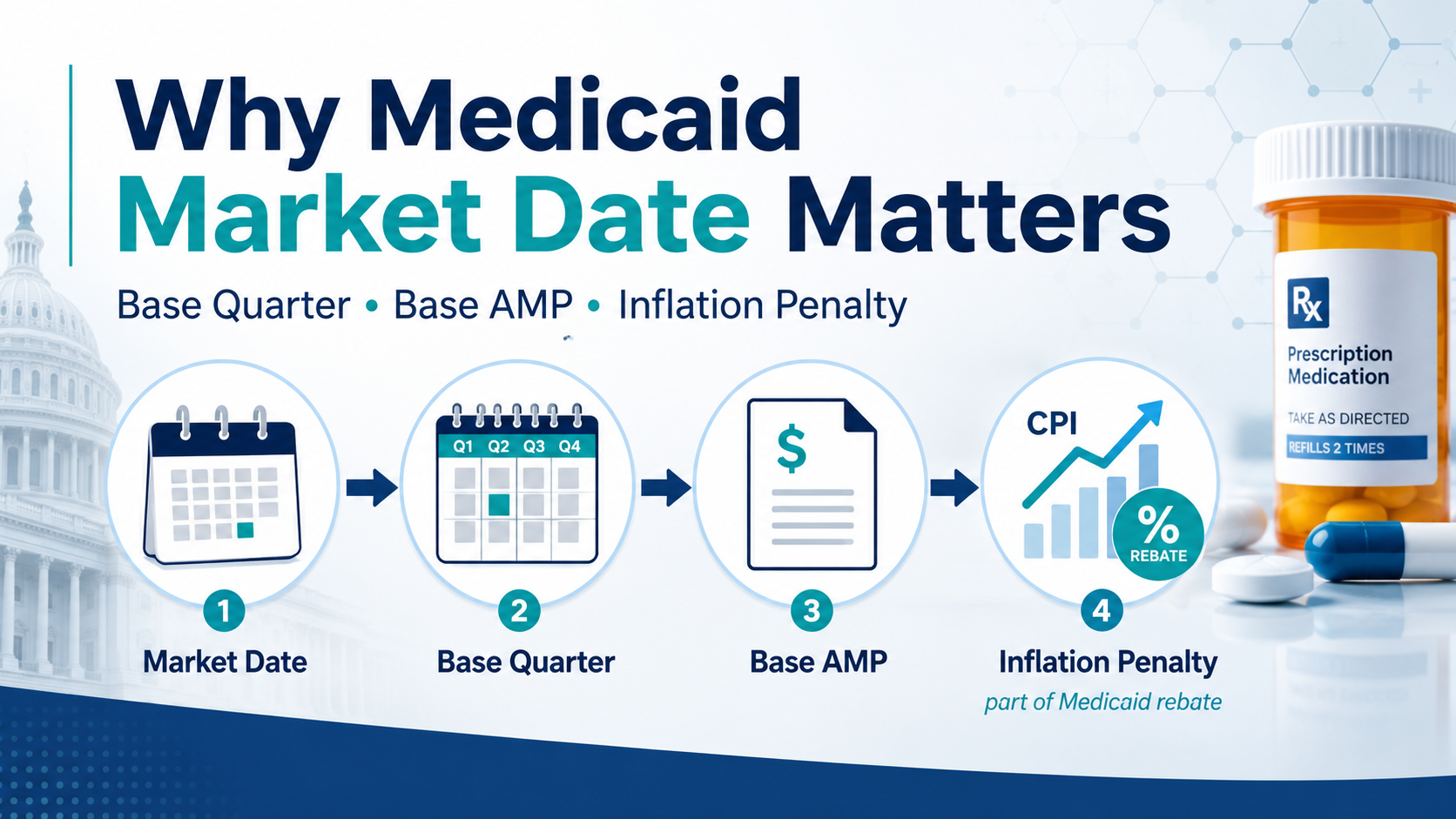
Why Medicaid Market Date Matters: Base Quarter, Base AMP and Inflation Penalty Market Date is…
Converting Medicaid Rebate Invoice PDFs: What Manufacturers Need to Check
A state Medicaid rebate invoice may take hours or even days to enter into a processing system. The work grows with the number of products and quarterly reports with balances. Processing systems require identifying the state program for the given invoice, and then loading its product NDC, utilization in terms of units and prescriptions, interest charges, submitted by states. Time and effort spent on typing historical invoice lines with debits or credits for pennies may have higher costs than the invoiced amounts.
Converting PDFs into import-ready files greatly reduces this routine work. All professional Medicaid invoice processing systems are ready to import invoices in CMS Text format. The problem is that CMS format does not have room for a number of key data elements: the state program ID, the outstanding rebate amount owed to the state for historical quarters, interest by line, etc.
Our solution is to read the information on state invoices and export it in a format the manufacturer’s processing system can import. Relasoft users can import the state invoice info into the system directly.
1. Medicaid State Invoice Formats
Invoices usually come in a PDF format. The files either contain text, or scanned images of the original invoices. Accordingly, the processing of files in these two formats is different. Images require Optical Character Recognition (OCR) to convert images into data.
Invoice layouts and content also vary. The same columns have different names used by different state processors, and the same names may have different meanings. Therefore, the layout of each state program needs to be researched to ensure its correct reading.
For image-based files, image quality often becomes an issue. Some situations require manual intervention. For example, if values of a column got cut off during scanning, or a printer cartridge produced an extra white space, user needs to intervene. User can re-scan or re-print the document, or correct loaded values. The good news here is that a very limited number of invoices come as images, so a regular automated import can – and should – take place.
When the quality of image is good – the Reader provides quite precise results, based on AI research of each image and AI-based recognition of the values.
2. Medicaid State Invoice Content
CMS prescribed standard formats for state invoices: Form CMS-R-144.
All state invoices provide state program info, NDC and utilization counts of extended units and scripts for the quarter. Almost all state invoices – with few exceptions – also contain state invoice numbers, product name, billing and adjustment quarters, URA and details of the Medicaid billing.
In addition, some invoices contain amounts paid by the manufacturer, principal amount due, interest per line, interest per invoice, credits by invoice, and additional data elements.
Importing all data elements relevant to rebate calculation is important, because that makes life of processing folks easier while improving the calculation accuracy.
CMS standard has a field “Rebate Amount Claimed”, which in most cases means “Total Rebate Amount Claimed by The State for the Quarter for the NDC”. The standard does not include separate fields for the total of the previous manufacturer payments or the remaining principal balance due for the NDC.
When a manufacturer’s payment was not received or allocated incorrectly, the state’s balance may differ from the manufacturer’s records. Because of that, reconciling the difference may require information beyond the standard invoice file.
Our Reader reads all provided data elements from all regular state programs from all state processors.
3. How to import invoice data into your system
Likely, the system that you have can import files in the standard CMS format. The question is how to handle elements that are not part of the CMS format: interest, balance due, etc.
If your system supports importing files in a certain format, the Reader would convert all invoices into that custom format, in just one or two runs.
Our solution can create import files in any custom format.
4. OCR exception handling
Poor quality of image-based invoices may result in errors. The Reader detects the errors that cannot be resolved automatically, and brings them to attention of the processing persons. Missing values, conflicting readings and other discrepancies are brought up for review rather than silently accepted or rejected.
Re-scanning or re-printing the original document can greatly improve the image quality. If the errors are random, Reader offers users an interface to analyze and correct one error after another. That approach ensures the highest efficiency of the errors correction.
5. The Reader Workflow
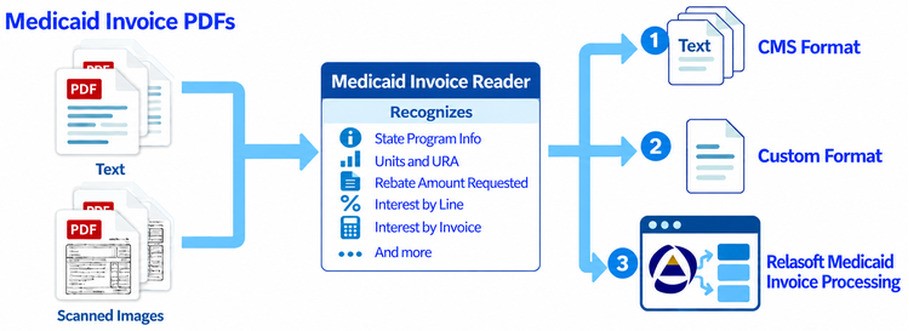
Every quarter users place all their MDRP invoices into a folder. Our Reader reads all of them, and separates text-based files from image-based files. Then it reads all files, as appropriate and stores them into an internal database.
Finally, the Reader can export stored data in CMS format files, one per invoice, or in custom format all invoices at once.
Here is a diagram, showing the Reader workflow of processing:
Learn More
Relasoft’s MDRP Invoice Reader combines AI-assisted invoice capture with validation and human review. It supports text-based PDFs and image-based invoices, can export them into the standard CMS output, or into custom files or import them into Relasoft directly.
The Reader imports hundreds of text-based Medicaid invoices in a matter of minutes. OCR invoices take longer, because then the processing takes several additional steps. Processing image-based invoices still takes a fraction of the time required for manual entry and reduces the risk of typing errors.
It is available as a standalone solution or as part of a broader processing service.
For details, visit MDRP Invoice Reader or request a demo to discuss your invoice formats and processing needs.

Related Posts